Hire with context, not gut feel.
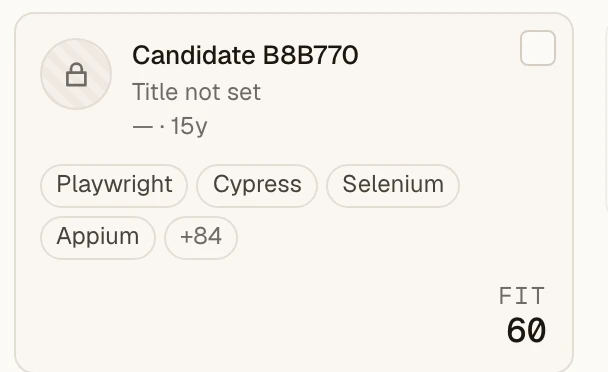
For each completed evaluation, Talent Autopilot scores the candidate against approved role requirements. It shows dimension scores and an AI-generated explanation for human review.


Candidates
5- #1
- #2
- #3
- #4
- #5
Built in the Nordics, on infrastructure you already trust
Four engines, one quiet workflow.
- 01
AI candidate search
Describe the role in plain language. TAP searches indexed candidate profiles on meaning, not only keywords, and surfaces people you'd have missed three pages deep.
a role in plain wordspeople you'd have missed
- 02
Skills matching
A completed evaluation reports skills and experience scores against approved role requirements. It also includes an AI-generated explanation to check against the profile.
the role requirementsa score you can challenge
- 03
Candidate comparison
Put your top people side by side on the signals that decide the hire: fit, readiness, trajectory, remote preference. No tab-juggling.
your top candidatessignals, side by side
- 04
Project insights
See where a search stands (readiness mix, seniority spread, where the pool is thin) and know what to do next before the hiring manager asks.
a search taking shapeyour next move
What goes into a match score?
See how ranking, detailed evaluation, score calculation, missing evidence, and human review work today.
Mask identity signals. Keep decisions human.
Mask names, photos and identity signals across a workspace, a project, or a single candidate, and review the same role-related information without those identity signals. Unmasking is a governed step, not a casual click.
- 01
Mask at the level you need
Workspace-wide, per project, or per candidate. Fail-closed: if the masking settings cannot be read, the candidate stays masked.
- 02
Unmask with dual control
Workspace policy can require a second, distinct approver, cap how long a reveal lasts, and re-mask automatically when the timer runs out.
- 03
Every step audited
Masking changes, unmask requests, approvals and reveals all land in your audit trail: readable in the app, exportable as CSV.
AI your compliance team can say yes to.
No automated rejection
Rejecting a candidate is always a human decision. Ask the assistant to do it and it will refuse. By design, not by policy document.
No guessed scores
If approved role criteria are missing, protected or proxy criteria are detected, or a scoring response is invalid or unavailable, TAP does not store a completed score.
A decision record you can hand over
Saved evaluations can be exported with the score, timestamp, and model and methodology version to support transparency reviews.
From open role to shortlist in three moves.
- 01
Connect your pool
Bring candidates in from Flowcase or a CSV export of your current system. TAP indexes everything on meaning as it lands.
- 02
Set the project
Define and approve the role requirements. A standard run may preselect candidates from a large pool; a deep run includes the full pool in its selection. Completed results include an AI-generated explanation.
- 03
Review before deciding
Compare, shortlist and hand off with the scores, strengths, concerns and explanation visible. The recruiter remains responsible for the decision.
The ones we hear the most.
Is TAP available right now?
Not for open signup: we are letting a small number of teams into a private beta each month. Join the waitlist and we will get in touch when the next slot opens.
Where does my candidate data live?
In an EU-hosted Supabase project, encrypted at rest and in transit. Every workspace runs against its own isolated database, not a shared one with a filter. We never train third-party models on your data.
Can we bring our candidates from another system?
Yes. TAP imports from Flowcase and from CSV exports of your current system. Migration is part of onboarding. We do the work with you.
Which AI models do you use?
OpenAI models under a strict data boundary: no candidate data leaves the tenant boundary except for the specific request being served, and never for training. Teams that want full control can point TAP at a self-hosted model endpoint instead.
How does blind screening work?
Names, photos, contact details, and other identity signals can be masked at the workspace, project, or candidate level. Every unmask is logged, tied to a person, and reversible, and policy can require a second approver.
What does it cost?
Nothing during the beta. Indicative post-launch pricing is on the Pricing page; beta teams keep the lower rate.